Detecting KVM Hardware on Endpoints
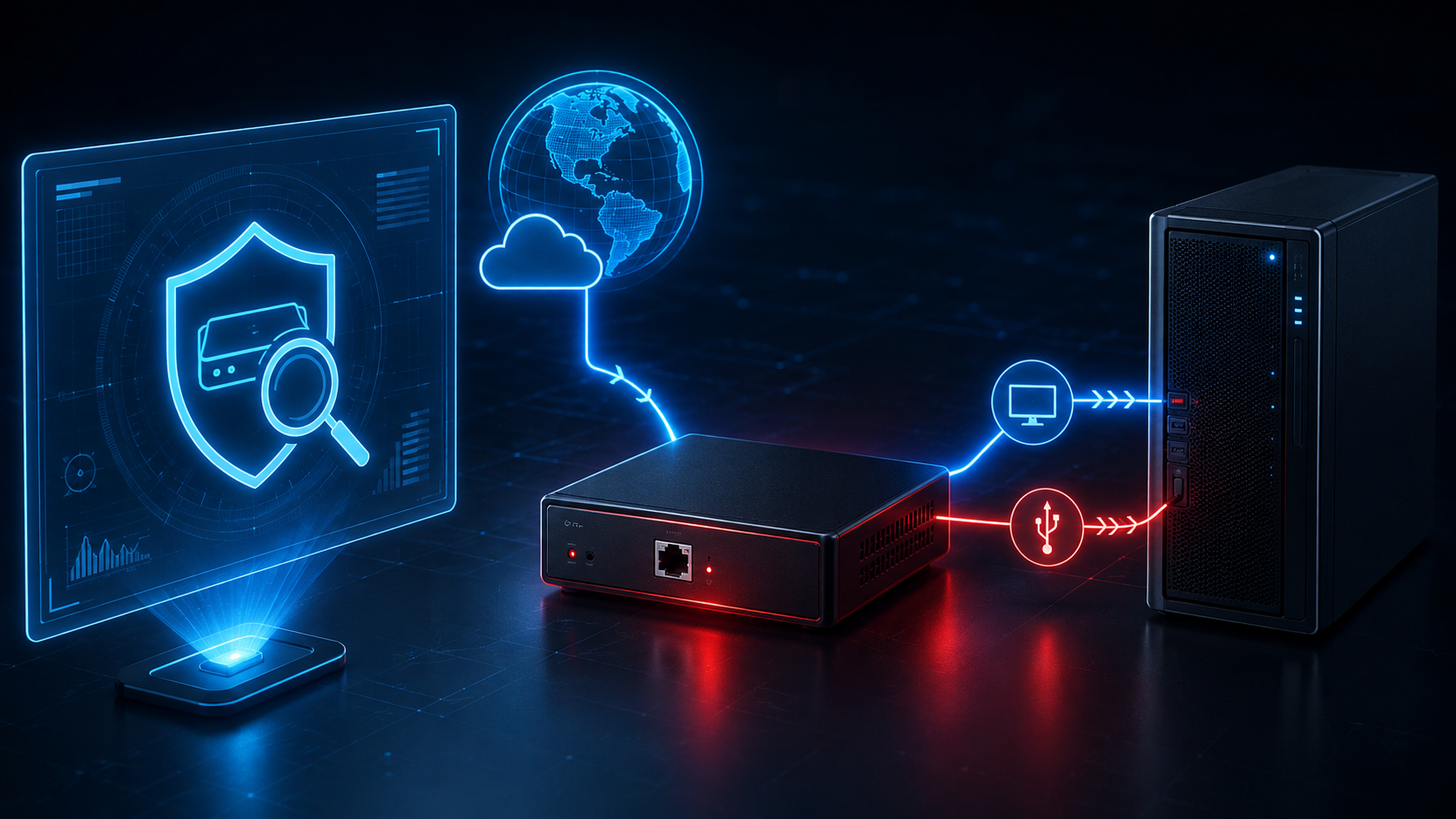
Software-based endpoint security assumes that the person typing on the keyboard is the person who logged in. A KVM device breaks that assumption at the hardware layer, and remote employee endpoints are where this matters most.
A KVM (keyboard, video, mouse) device sits between an endpoint and its input and display peripherals. There are two categories. Traditional KVM switches are local, non-networked devices that let one keyboard, mouse, and monitor be shared across multiple computers. IP-enabled KVM devices add a network interface (Ethernet or WiFi) and expose a remote console over that interface, giving anyone who can reach the device on the network full keyboard, video, and mouse access to whatever endpoint it is connected to. From the endpoint's perspective, input from an IP KVM looks identical to a local user typing on a keyboard and moving a mouse. No remote access software runs on the controlled endpoint. No remote desktop session is established on it. No VPN or remote access session is required on the controlled endpoint. The KVM itself may reach the operator through direct Ethernet, WiFi, a vendor cloud, or an overlay network such as Tailscale, ZeroTier, WireGuard, or NetBird, but from the endpoint's perspective this is invisible because the device presents as a local keyboard and mouse. Software-based endpoint security, remote access monitoring, and conditional access policies on the endpoint have no visibility into the fact that input is being relayed from a remote party through the KVM hardware.
Remote employees operate corporate endpoints from locations the organization does not physically control. Nobody sees what is plugged into the machine. This makes remote employee endpoints uniquely susceptible to hardware-based threats that would be noticed in an office environment where IT staff and coworkers can see peripherals connected to a machine.
The threat scenarios cluster into a few patterns. An individual hired under a fraudulent identity has a facilitator receive the corporate laptop, connect an IP KVM to it, and let the actual worker operate the endpoint from a completely different location. A remote employee outsources their job to a third party by connecting an IP KVM and allowing the third party to operate the machine while the employee submits the output as their own. An insider under direction from an external threat actor connects an IP KVM to provide their handler with direct interactive access to the corporate endpoint without installing any software that endpoint security could detect.
The detection surface is USB device metadata. When a device connects to an endpoint, it presents itself to the operating system through a set of descriptors that EDR USB telemetry surfaces as discrete fields. Each field has different resistance to spoofing. Many USB identity and presentation fields are configurable on Linux USB Gadget based KVMs, especially VID, PID, manufacturer, product, serial, max power, and related presentation values. This does not mean every field is user configurable on every KVM product, and structural fields such as device class, interface count, and power attributes generally reflect device behavior rather than cosmetic identity choices.
| Field | Description | Resistance | Notes |
|---|---|---|---|
| Device class codes | bDeviceClass, bDeviceSubClass, bDeviceProtocol from the device descriptor, plus interface class codes from each interface. | More resilient than VID, PID, manufacturer, and product string matching against observed default or preset disguise profiles. | Composite devices report Miscellaneous class (0xEF) or class 0x00 with per-interface classes. A device presenting cosmetically as a keyboard but exposing composite class codes with HID, mass storage, and CDC interfaces is inconsistent with a single-function peripheral. |
| Config descriptor | Metadata from the USB configuration descriptor block, including the descriptor name string. | More resilient than VID, PID, manufacturer, and product string matching against observed default or preset disguise profiles. | Often reveals the underlying firmware or platform (for example "Glinet device", "licheervnano") even when identity fields have been rewritten by a preset disguise profile. |
| Interface count | bNumInterfaces from the configuration descriptor. | More resilient than VID, PID, manufacturer, and product string matching against observed default or preset disguise profiles. | Three or more interfaces on a device presenting as keyboard or mouse is unusual. IP KVMs typically expose keyboard, mouse, mass storage, and network together, though this can be reduced in firmware. |
| Power attributes | bmAttributes bit flags decoded to Self-Powered, Bus-Powered, and Remote Wakeup. | Medium. Configurable but usually reflects physical reality. | Standard HID peripherals are bus-powered. Self-Powered on a device presenting as a keyboard or mouse is unusual and consistent with an IP KVM running from its own power supply. |
| Max power draw | bMaxPower in mA from the configuration descriptor. | Medium. Configurable but usually reflects physical reality. | Genuine HID keyboards and mice typically declare well under 100 mA. Self-powered devices declare 0 mA. Values inconsistent with the declared peripheral class are a signal. |
| Serial number | iSerialNumber string descriptor. | Low to medium. Configurable in firmware. | Often left at hardcoded defaults. Values like "CAFEBABE" and hex-encoded "keymimepi0" are known KVM factory defaults. |
| Manufacturer string | iManufacturer string descriptor. | Low to medium. Configurable in firmware. | Values like "pikvm", "tinypilot", "nanokvm", "blikvm", "jetkvm", "glinet", and "sipeed" identify specific IP KVM families when present. |
| Product string | iProduct string descriptor. | Low to medium. Configurable in firmware. | Strings like "Composite KVM Device" and "PiKVM Composite Device" are distinctive to IP KVM firmware defaults. |
| VID / PID | idVendor and idProduct from the device descriptor. On Windows, extracted from DeviceInstanceId, which also encodes the interface index (MI_) for composite devices. | Low. | Freely configurable in firmware. Genuine and spoofed hardware look identical here. |
Some EDR platforms also expose a descriptor set hash, a fingerprint computed over the descriptor bytes themselves. This is not an identity anchor since anything that changes the descriptors (a spoofing profile activating, a firmware update, a custom identity) produces a different hash. It is useful for correlating identical device presentations across many endpoints and for noticing when the same physical device changes profile between events.
Consumer and open-source IP KVM anchors. Most products listed below are IP-enabled KVM products that ship with default identifiers persisting unless the user explicitly changes them. Linux USB Gadget composite is included as a platform-level overlap rather than a KVM product by itself, since it appears on both consumer IP KVMs and legitimate non-KVM Linux single-board computers. PiKVM firmware is the upstream for a large fraction of the consumer market, so PiKVM-family anchors (the "CAFEBABE" serial, "Composite KVM Device" product string, "PiKVM" configuration descriptor content) also appear on downstream products that ship with PiKVM firmware. Geekworm, Pi-Cast, and BliKVM (Pi-based variants) all fall into this pattern.
| Product | Firmware | Serial | Manufacturer | Product | Config descriptor | Network |
|---|---|---|---|---|---|---|
| PiKVM | PiKVM (upstream) | "CAFEBABE" | "pikvm" | "Composite KVM Device", "PiKVM Composite Device" | "PiKVM" | Ethernet |
| TinyPilot | Proprietary | "6b65796d696d6570690" | "tinypilot" | "Multifunction USB Device" | "tinypilot" | Ethernet |
| GL.iNet Comet family (GLKVM) | PiKVM fork | "CAFEBABE" | "glinet", "gl-inet", "gl.inet", "glkvm" | "Composite KVM Device" | "glinet", "gl-inet", "gl.inet", "glkvm" | Base Comet (GL-RM1) is Ethernet only. Comet PoE (GL-RM1PE) is Ethernet with PoE. Comet Pro (GL-RM10) adds Wi-Fi 6. Comet 5G (GL-RM10RC) adds 5G RedCap and 4G LTE fallback plus Wi-Fi 6. |
| NanoKVM (Sipeed) | Proprietary | Varies | "nanokvm", "sipeed" | "nanokvm", "licheervnano" | "nanokvm", "licheervnano" | Ethernet (USB variant excepted) |
| BliKVM | PiKVM (Pi variants); custom (Allwinner v4) | PiKVM defaults on Pi variants | "blikvm" | PiKVM-derived on Pi variants | "blikvm" | Ethernet |
| JetKVM | Proprietary | Not publicly documented as a shared default | "jetkvm" | "JetKVM USB Emulation Device" | "jetkvm" | Ethernet |
| Geekworm KVM (KVM-A3/A4/A8, X680, X650, X651, X652) | PiKVM (unmodified) | "CAFEBABE" | "pikvm" | PiKVM strings | "PiKVM" | Ethernet (KVM-A4 WiFi-only) |
| Pi-Cast KVM | PiKVM | "CAFEBABE" | "pikvm" | PiKVM strings | "PiKVM" | Ethernet, WiFi (some variants) |
| AURGA Viewer | Proprietary | Not populated (SerialNumber index 0 in observed dmesg capture) | "AURGA CO., LIMITED" | "AURGA Keyboard/Mouse/Touchscreen" | VID 5153, PID 0168 reported in observed dmesg capture | Wi-Fi hotspot (SSID pattern "AURGA-XXXXXX" by default), Wi-Fi bridging to LAN, and Bluetooth to a paired app |
| Linux USB Gadget composite (platform) | Underlying platform used by consumer IP KVMs and unrelated Linux devices | Varies | Varies | Varies | VID 1D6B (Linux Foundation), PID 0104 (Multifunction Composite Gadget) | Varies |
The Linux USB Gadget composite entry also appears on legitimate non-KVM Linux single-board computers such as Raspberry Pi development boards, embedded Linux systems, and industrial controllers. AURGA Viewer differs from most of the consumer list in how its remote access works. It reaches the controlling device over Wi-Fi or Bluetooth to a paired phone, tablet, or laptop app, rather than through an on-device Ethernet interface. The GLKVM (GL.iNet Comet) family has an additional artifact worth noting: reviews of the base Comet indicate the device registers itself with the hostname "glkvm.local" by default, which is a distinctive network-side indicator separate from the USB descriptor surface.
Some IP KVM ecosystems also support reaching the KVM through overlay networks such as Tailscale, ZeroTier, WireGuard, or NetBird, either through vendor-integrated features or user-configured tunnels. These do not run on the controlled endpoint. They run on the KVM device and the operator's side, so from the endpoint's perspective the input still arrives through a USB peripheral.
New consumer IP KVM products enter the market regularly. Anchoring on the underlying firmware family (particularly PiKVM) and on shared platform identifiers such as the Linux USB Gadget defaults tends to age better than tracking individual product names.
GLKVM disguise profiles. GLKVM firmware includes built-in profiles that spoof common peripheral vendor and product IDs. Observed GLKVM default and preset disguise profiles may still expose "Glinet" or "GLKVM" configuration descriptor content even when VID, PID, manufacturer, and product strings are changed. This is a strong residual signal for tested versions rather than a permanent guarantee, since firmware updates and fully custom profiles can change the configuration descriptor as well.
| Disguise target | VID / PID | Residual under preset profiles |
|---|---|---|
| Dell keyboard | 413C / 2011 | Serial "CAFEBABE" and config descriptor "glinet" or "glkvm" are not expected for legitimate Dell hardware and are consistent with observed GLKVM disguise profile behavior. |
| Microsoft keyboard | 045E / 005F | Serial "CAFEBABE" and config descriptor "glinet" or "glkvm" are not expected for legitimate Microsoft hardware and are consistent with observed GLKVM disguise profile behavior. |
| Corsair Gaming RGB keyboard | 1B1C / 1B20 | Serial "CAFEBABE" and config descriptor "glinet" or "glkvm" are not expected for legitimate Corsair hardware and are consistent with observed GLKVM disguise profile behavior. |
| Logitech Unifying Receiver | 046D / C526 | Serial "CAFEBABE" and config descriptor "glinet" or "glkvm" are not expected for legitimate Logitech hardware and are consistent with observed GLKVM disguise profile behavior. |
| Custom profile | User-selected | Any field including serial and configuration descriptor may be changed by the user. |
Enterprise KVM hardware. These devices are designed for out-of-band or shared-peripheral server and workstation use. Their presence in a datacenter or matching NIAP-validated deployment is expected. Their presence on a standard remote employee workstation or laptop is out of place. Not all products listed here are KVM-over-IP; some are secure desktop peripheral-sharing devices without a network interface. The type column reflects that distinction.
| Product | VID / PID | Type | Notes |
|---|---|---|---|
| Raritan Dominion CIM (D2CIM-VUSB) | 14DD / 1007 | KVM-over-IP | Computer Interface Module for Raritan Dominion KVM-over-IP switches. |
| Raritan KVM dongle (Fujitsu VID) | 0430 / CDAB | KVM-over-IP | Registered under Fujitsu Component's VID. Connects to Raritan Dominion switches. |
| Fujitsu/Raritan remote KVM chipsets | 0430 / A101–A103 (P3), A111–A113 (P4) | KVM-over-IP | USB-facing components of enterprise IP KVM infrastructure. |
| Avocent/Cybex SC Secure KVM | 0624 / 0013 | NIAP-validated secure desktop KVM, air-gapped by design | Secure peripheral sharing with isolation and tamper resistance. Not KVM-over-IP. Avocent's IP-based KVM line (MergePoint Unity and similar) uses different hardware. |
| Dell iDRAC KVM dongle (03R874) | 0624 / 0294 | KVM-over-IP | Pairs with Dell iDRAC out-of-band management. |
| Avocent/iDRAC virtual media artifacts | 0624 / 0248, 0249, 0251 | KVM-over-IP session artifacts | Virtual Hub, Keyboard/Mouse, Mass Storage. Present during an active remote console session. |
Local KVM switches and USB bridge devices. Local KVM hardware is not IP-enabled by itself, but on a remote employee endpoint it can bridge the corporate machine to another unmanaged computer. That unmanaged computer could have its own remote access path that the organization cannot see. The bridge itself is the only artifact in corporate telemetry.
| Product | Identifier | Notes |
|---|---|---|
| Openterface Mini-KVM | Manufacturer "openterface" | USB-only. Requires a dedicated client on the controlling computer. |
| Sipeed NanoKVM-USB | Product "NanoKVM"; manufacturer "sipeed" | USB-only variant of NanoKVM. Accessed via WebSerial browser client. |
| Epiphan KVM2USB family | 5555 / 1120, 3337, 3344 | KVM2USB, Pro, and LR. Local bridges with no network interface. |
| ATEN International KVM | 0557 / 2202, 2213, 2701, 2419, 2221, 2600, 4000, 7000 | Includes both local switches and IP-enabled products. Product string identifies which. |
| Fujitsu Component KVM Switch | 0430 / 0406 | Local-only KVM switch. |
| Belkin KVM | 050D / 0102, 0108, 3201 | Consumer desktop switches. Belkin also produces NIAP-validated Secure KVMs (air-gapped by design). |
| Emine Technology KVM chipset | 06F2 / 0011 | OEM chipset embedded in third-party KVM products. IP capability depends on the final product. |
| InLine 2-Port KVM (60652K) | 3333 / 3333 | Consumer local-only KVM switch. |
| Uni Class Technology KVM | 10D5 / 5552, 55A2 | KVM device or chipset. IP capability varies. |
| ST-Ericsson/Philips legacy KVM chipset | 04CC / 1520 | Legacy chipset. IP capability varies. |
HID emulation patterns that overlap with KVM detection. These are not KVMs but use USB descriptor patterns that overlap with KVM disguise profiles, so the same detection surface catches them.
| Pattern | Indicator | Notes |
|---|---|---|
| Flipper Zero BadUSB | 046D / C529 with serial "0123456789abcdef" or non-Logitech manufacturer | Sequential hex serials and non-Logitech manufacturer strings on Logitech VID/PID are consistent with emulation using placeholder values. |
| Composite CDC device, 3+ interfaces | CDC in config descriptor with three or more interfaces | Characteristic of Linux USB Gadget composites (includes IP KVMs). Also used by legitimate modems and network adapters. |
| "Multifunction USB Device" | Product string exactly matching TinyPilot default | Generic enough to appear on other USB composite devices. |
Signal strength. The categories above vary in how definitively they identify an IP KVM versus how much room they leave for legitimate use of the same identifiers. These are descriptions of signal quality, not claims about what any single environment will see.
| Tier | Signal | Meaning |
|---|---|---|
| High confidence default KVM identifier | Known IP KVM serial defaults, distinctive manufacturer or product strings, or config descriptor content tied to a KVM firmware family. | Values published as KVM factory defaults. Legitimate peripheral hardware is not expected to use them, and their presence is grounds for security review or escalation under the organization's insider threat or acceptable-use process. |
| Strong | Known peripheral VID/PID with anomalies in serial, manufacturer, interface count, power attributes, or device class. | Consistent with IP KVM disguise profiles or BadUSB emulation. |
| Moderate | Enterprise KVM chipsets on non-server endpoints, local KVM switches, and consumer KVM bridges. | Not necessarily IP-enabled but consistent with bridging to unmanaged infrastructure. |
| Weak | USB Gadget default VID/PID with no corroborating KVM identifiers. | Also appears on legitimate Linux single-board computers and embedded hardware. |
Many consumer IP KVMs expose identifiable USB and display artifacts by default. Some products support identity customization, and GLKVM specifically includes built-in device identity profiles. These profiles can change visible identity fields such as VID, PID, manufacturer, and product, and in some cases the serial. Observed GLKVM default and preset profiles may still expose residual configuration descriptor data such as "Glinet" or "GLKVM". Configuration descriptor matching is therefore a strong residual signal for tested versions rather than a permanent guarantee.
Spoofing shows up in two shapes. The simpler shape is preset disguise profiles built into KVM firmware that rewrite the outer identity fields to match a common peripheral. The more sophisticated shape is fully custom identity fields where the operator picks any VID, PID, and strings they want and can also change the serial and configuration descriptor content. In the preset case the residuals often matter, since serials and configuration descriptor content may be left untouched by the profile. In the custom case structural fields such as device class, interface count, and power attributes become the more useful anchor because they generally reflect what the device actually does.
Behavioral detection at the software layer assumes the input coming into the endpoint reflects a person sitting at the keyboard. IP KVMs invalidate that assumption without leaving software-level artifacts on the endpoint, which is why USB descriptor telemetry is the lever. The residuals in serial numbers, configuration descriptors, and structural descriptor fields are what remain visible against an operator who is actively rewriting identity fields.
